How to use Mimicore in Roblox
Roblox voice chat uses a microphone from your PC. Choose Mimicore's virtual mic in the game's settings, or make it Windows' default input.
Windows 10 or 11, 64-bit. A graphics card is recommended for live AI voices. See the system requirements.
- Controls
- Microphone
- Graphics
Input device
- CABLE Output (VB-Audio Virtual Cable)
- Microphone (USB Audio Device)
- Headset Microphone
Step by step
- 1
Set up the virtual microphone once
In Mimicore, open Live. If it says no virtual microphone is installed, press Set up virtual mic and follow the prompts. Windows asks for permission; click Yes. If Windows asks for a restart, restart and open Mimicore again.
- 2
Open Roblox's settings
In an experience that has voice chat, press Esc and open Settings. Look for the microphone or input device choice.
- 3
Choose CABLE Output as the input
If you can pick a device, choose CABLE Output (VB-Audio Virtual Cable). If not, open Windows Settings, then System, Sound, and set CABLE Output as the default input.
- 4
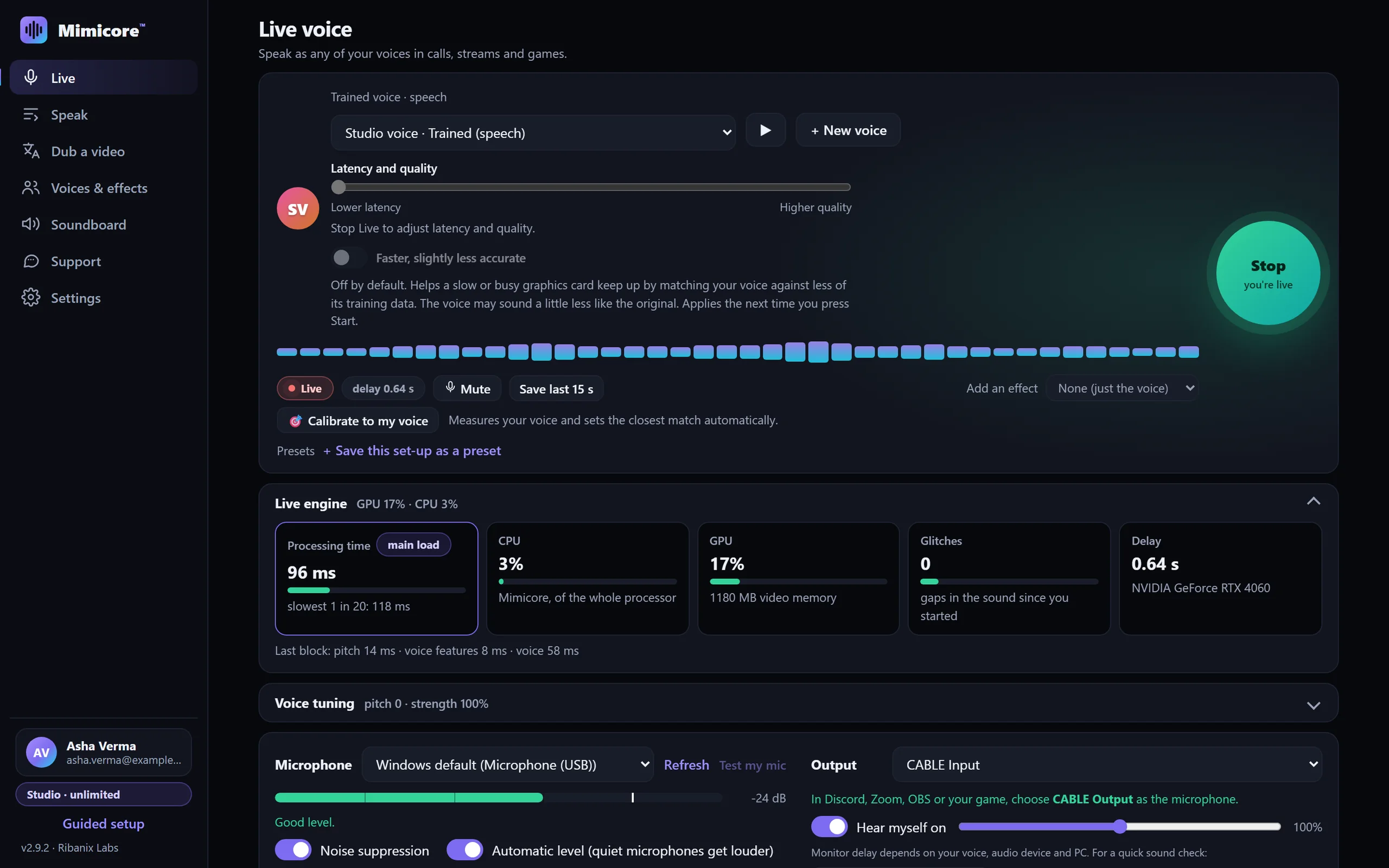
Pick a voice and press Start
On the Live page choose one of your voices (or one of the free effects) and press the big Start button. The Live pill turns on and an estimated delay shows. The delay depends on your PC and, for trained voices, on the Latency and quality slider: keep it toward the left for calls and games, because every step to the right adds delay you will hear.
- 5
Check it in the game
Join a voice-chat experience, speak, and ask someone nearby how you sound. Switch the Windows default back afterwards if you changed it.
Tips
- Wear headphones. If your speakers are on, your microphone can hear them and the changed voice will echo back.
- Voice chat in Roblox needs an account that Roblox has enabled for it; Mimicore does not change that.
- Read Roblox's rules on voice chat and impersonation, and only use a cloned voice you have permission to use.
Questions
Will Roblox let me use a voice changer?
Roblox hears an ordinary microphone device. Follow its Community Standards on voice chat and impersonation.
Why can nobody hear me?
Check that Roblox or Windows uses CABLE Output, that Mimicore shows Live, and that Mimicore's Output on the Live page is CABLE Input.
Is there delay?
A little: the Live page shows an estimate. The 46 free effects add far less than AI voices.
Other guides: Discord · OBS Studio · Zoom · Microsoft Teams · games · Google Meet · Telegram · Steam voice chat · VRChat · Twitch · Skype · Slack · WhatsApp Desktop · Voice gallery · Free Discord voice changer · Help and FAQ