How to use Mimicore on Twitch
Twitch gets your audio from your streaming app. Choose Mimicore's virtual microphone there and the stream carries your changed voice.
Windows 10 or 11, 64-bit. A graphics card is recommended for live AI voices. See the system requirements.
- Scenes
- Audio
- Stream
Microphone
- CABLE Output (VB-Audio Virtual Cable)
- Microphone (USB Audio Device)
- Headset Microphone
Your normal microphone
Step by step
- 1
Set up the virtual microphone once
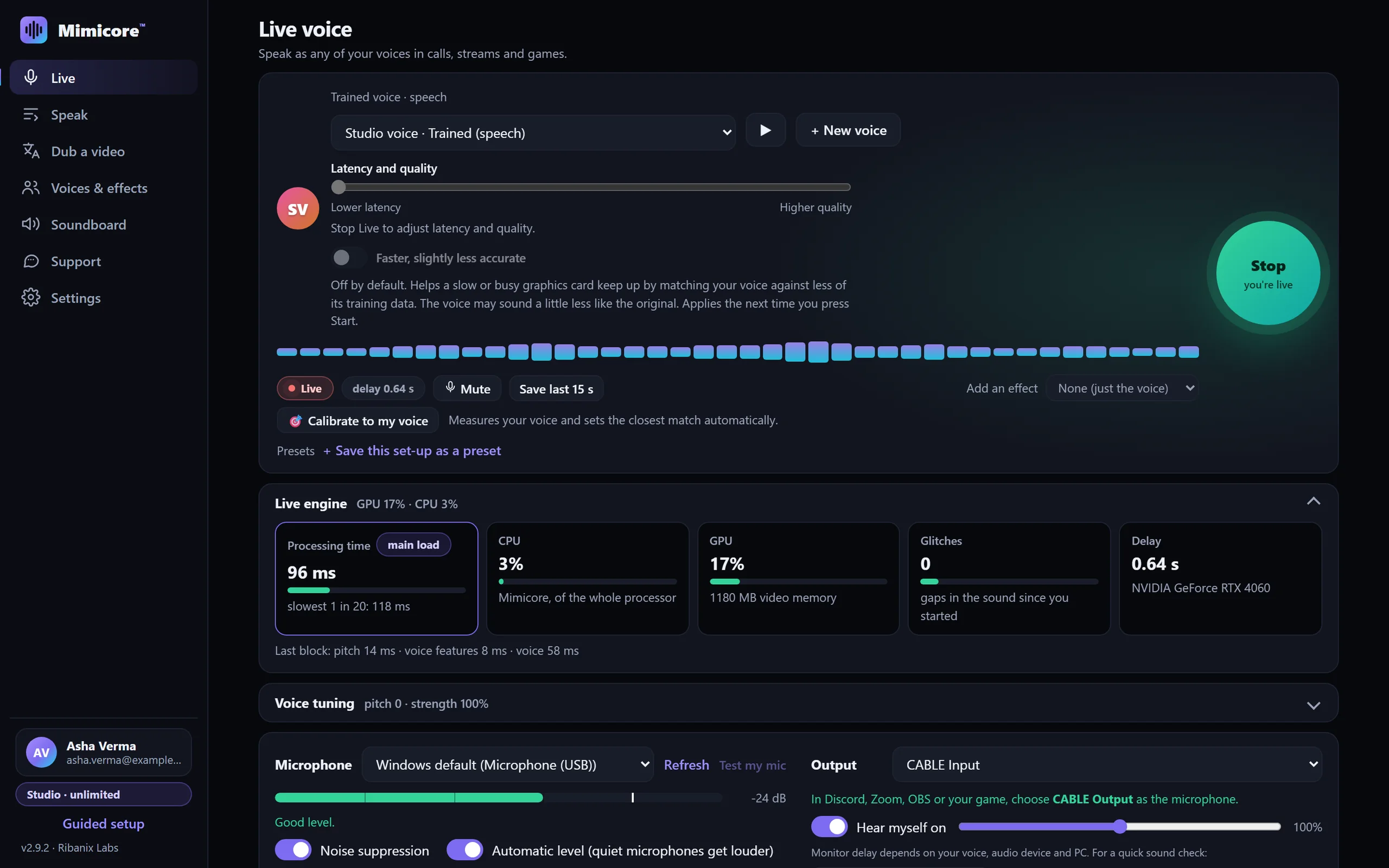
In Mimicore, open Live. If it says no virtual microphone is installed, press Set up virtual mic and follow the prompts. Windows asks for permission; click Yes. If Windows asks for a restart, restart and open Mimicore again.
- 2
Open your streaming app's audio settings
In OBS Studio add an Audio Input Capture source (or open Settings, then Audio). In Twitch Studio open Settings, then Audio.
- 3
Choose CABLE Output as the microphone
Pick CABLE Output (VB-Audio Virtual Cable) as the microphone device, and switch off your normal microphone so viewers do not hear both.
- 4
Pick a voice and press Start
On the Live page choose one of your voices (or one of the free effects) and press the big Start button. The Live pill turns on and an estimated delay shows. The delay depends on your PC and, for trained voices, on the Latency and quality slider: keep it toward the left for calls and games, because every step to the right adds delay you will hear.
- 5
Check the level
Speak and watch the meter in the mixer: the bar should reach the yellow part without touching red. Adjust the volume in Mimicore or the mixer.
- 6
Do a private test
Record a short clip or stream to yourself first and listen back with headphones before going live.
Tips
- Wear headphones. If your speakers are on, your microphone can hear them and the changed voice will echo back.
- Use Mimicore's Mute hotkey or Push-to-talk to cut your voice quickly, even while a game has focus.
- Read Twitch's Community Guidelines: do not use a voice to impersonate a real person, and only use a cloned voice you have permission to use.
Questions
Does Twitch allow voice changers?
Mimicore feeds a normal microphone device into your streaming app, so Twitch sees ordinary audio. Follow Twitch's rules on impersonation and consent.
Can viewers hear my soundboard?
Yes. Soundboard clips play into the same virtual microphone, so they go out with your voice, each with its own hotkey.
Will it add delay to my stream?
A little: the Live page shows an estimate. Trained voices follow the Latency and quality slider; the 46 free effects add far less.
Other guides: Discord · OBS Studio · Zoom · Microsoft Teams · games · Google Meet · Telegram · Steam voice chat · VRChat · Skype · Slack · WhatsApp Desktop · Roblox · Voice gallery · Free Discord voice changer · Help and FAQ